1 Introduction
EVL Workflow is a code based orchestration tool. In general a workflow is one or more DAGs (Directed Acyclic Graphs) where vertices are some tasks (e.g. shell script or actually any executable in general) and edges specifies successors.
1.1 EVL workflow
EVL workflow is a text file, resolved as Bash script, which defines how to run tasks. They can be run:
- in given order,
- in parallel,
- on local machine or on particular target host (by ssh, on Kubernetes).
Tasks within a workflow are managed considering several conditions, e.g. by:
- defined maximum tasks running in parallel,
- specified priorities of each task,
- the history of CPU and memory consumption or by specified expected consumption,
- specified maximum run time,
- defined number of retries in case of failure.
These EVL workflows can be defined manually or can be generated, and can be easily tracked by version control system like git.
For particular EVL workflow examples, including examples how to run tasks based on various calendars, see Examples.
1.2 Task
EVL workflow run tasks where each task is one of the following:
shell script (job/*.sh)
any shell script with .sh suffix, usually a wrapper to fire an ETL job
EVL job (parameter file job/*.evl with template evs/*.evs)
it can be either full featured ETL job (then EVL Tool is needed) or it can also be a set of parameters for a shell script. Parameter job/*.evl file contains a set of variables assignments and run template evs/*.evs file which is interpreted as shell script. Such a template can be for example a wrapper for another ETL tool.
EVL workflow (parameter file workflow/*.ewf with template ews/*.ews)
parameter workflow/*.ewf file contains a set of variables assignments and run template ews/*.ews file which is interpreted as shell script. Such a template contains the definition of the order of tasks, what to run in parallel etc.
Wait for a file
to sniff for existence of a file with given file mask.
EVL workflow consists (mostly) of Run commands, which are used in EWS workflow structure
definition file (ews/*.ews), and which fires tasks. For details, see Run.
1.3 Project
Scope of workload isolated from the business perspective. EVL Workflow supports inter-project workflow dependencies, but it is better when the logic stays in workflows within one project. Technically is the project represented by one directory and the name of the directory is the name of the project. That’s why the project name must be unique for given user on given machine.
In the project directory is project.sh (bash) file, crontab.sh and directories of all other EVL configuration files:
evs/*.evs
EVL job structure files, i.e. templates for EVL jobs
ews/*.ews
EVL workflow structure files, i.e. templates for EVL workflows
job//*.evl, job/*.sh
*.evl files contain parameters for EVL job structures (evs) files,
*.sh files are standard shell scripts *.sh.
Subfolders are considered as part of job names
workflow/*.ewf
EVL workflow parameter files for ews files
Subfolders are considered as part of workflow names
crontab.sh
based on this file an EVL section of current user’s crontab is created/updated by evl crontab command
project.sh
this file is interpreted as bash script at the beginning of each job in the project. Usually contains all project wide variables and is mandatory
|
For detailed information about managing projects, see Project.
1.4 EVL Manager
EVL Workflow can be used standalone with a command line interface (CLI) or with a graphical web interface called EVL Manager.
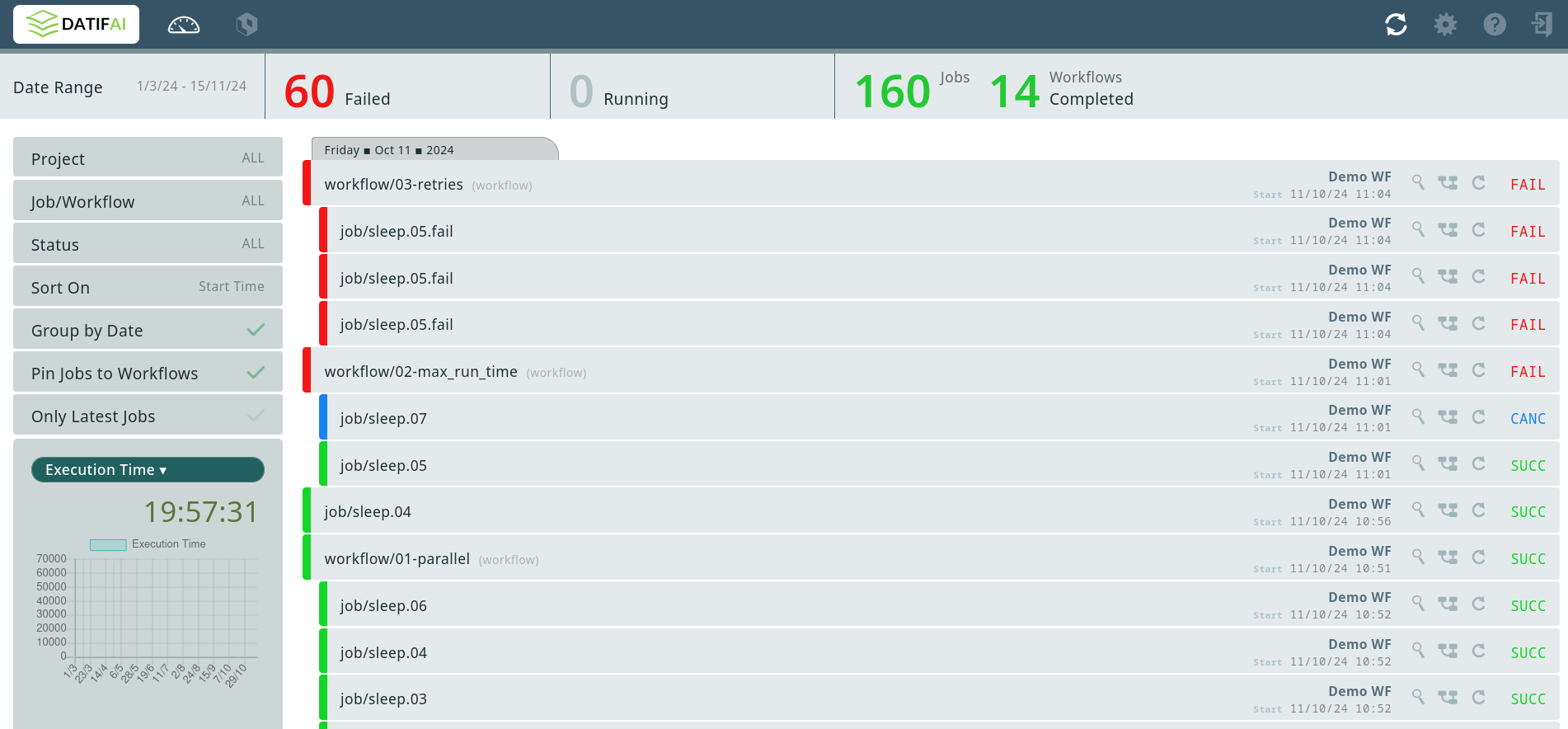
EVL Manager has its own documentation.
1.5 EVL Data Hub
EVL Workflow together with EVL Data Hub can be used to define and schedule workflows managed by metadata. For example to:
transfer data
either simple file copy, or also can change the file format on the way, or load data from a file to database table and vice versa,
historize data
data can be historized as SCD2 for example
anonymize data
data can be anonymized based on metadata annotations
generate data
data can be generated based on metadata
EVL Data Hub has its own documentation.